
|
. |
|
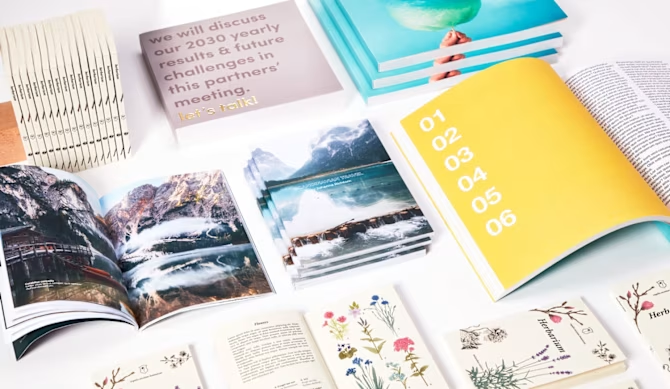
Choose our Wire-o Binding for a practical yet stylish publication! This binding option is perfect for showcasing your content in a professional way while ensuring easy use. The spiral bound allows documents to lay completely open and flat, with no need to hold them, and also enables pages to rotate 360 degrees, for quick and effortless browsing. As a result, wire-o binding is widely used for manuals, catalogues, reports, recipe books and textbooks. But it doesn’t stop there —with your creative vision and our fully customisable options, wire-o binding can be whatever you need it to be: personalise format, spiral position, number of pages and paper to print your company profile, a menu or portfolio in any language you need and make your business talk out loud. Use the wire-o binding as a notebook, a guestbook or to create your own sketchbook to be filled with notes, colours and memories. Moreover, make your spiral become a calendar or a planner. Trust us, wire-o is the product that will successfully bind together your ideas! |
|
WE HELP YOU CHOOSE THE RIGHT PRODUCT! |
|
|
|
|
|
|
|
|
|
|
|
|
|
|
|
|
|
|
We recommend downloading instructions and template on the product page to create a print-ready file. |
|
|
You have the flexibility to print your cover and inside pages on different paper types and weights, or keep them consistent with the same paper and grammage throughout. However, the cover is frequently printed on a higher grammage and is laminated. Adding lamination to coated paper is recommended to protect the print from scratches and liquids. Furthermore, lamination adds a touch of elegance to your publication, enhancing colours and providing a polished effect |
|
|
If you’re looking to stand out with a very special cover effect, add special finish to the external cover of your spiral binding: give your book a unique look! Please note that special finish option is only available on the cover and coated papers. Alternatively, you can achieve a sophisticated look by choosing textured or special effect papers and mixing different materials to suit your style. |
|
|
Remember to use only non-coated and smooth papers in case you need to take notes on your printed product. For a deep dive into our papers’ world check this article. If you’re looking for a more traditional binding and want your publication to look exactly like a book, you should consider our perfect binding or sewn binding for a premium and elegant edition. Stapled binding could instead be a valid alternative for brief content or if you want your booklet to look more like a magazine. |
|
FIND OUT MORE |
|---|
|
|
WHERE/WHEN CAN YOU USE IT |
||||
|---|---|---|---|---|
|
|
BOOKS & MAGAZINES (marked with the |
||
|---|---|---|
|
|
FAQ |
It is not possible to choose the spiral dimension (diameter). It is automatically provided according to the spine dimension of the printed product. You can choose whether to have it black or silver.
The holes (4 mm diameter) will be drilled on the side you’ve chosen for the spiral position. To prevent texts from being too close to the edge and hard to read, we highly recommend using the template that matches your selected product configuration. It ensures accurate margin dimensions, which can vary depending on factors like the number of pages and the paper thickness.
The book will perfectly open flat and lay down open, with no need to touch it or hold it. Moreover, you can rotate pages 360 degrees and still have it totally flat.
No, it’s not possible to add pages of different dimensions or dividers to the product.
We rely on different printing methods (digital or offset) and therefore different printing machines depending on the quantity, the chosen paper type and many other variables. Nonetheless, we guarantee both methods allow high print quality.
At the moment, Designer is not available for this product. We provide detailed. We provide instructions and template to create a print ready file on your own (with a design software) on the product page. If you need any help editing or creating your booklet, have a look at our Design Services. Please note that for this product the design service needs to be purchased on the product page directly and the service quote will automatically be displayed once you have filled in the product features. |
Comments
0 comments
Please sign in to leave a comment.