
|
|
|
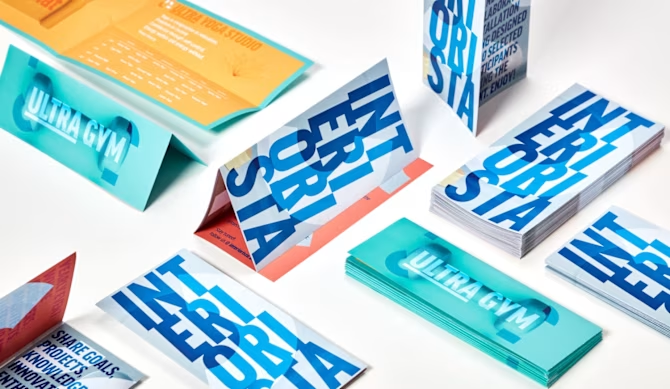
Folded Flyers are the perfect solution for any kind of communication: would it be a restaurant menu, a program for a summer festival, a company profile or a touristic map... print with us all you need! With Pixartprinting you can design a tailor-made flyer. Pick from a range of fold styles, panel layouts and sizes. And don’t forget to choose the paper type and weight that will make your content pop and last. Folded Flyers can be easily distributed as leaflets, made available at your place of business, or inserted into envelopes or packaging allowing you to effectively share information. No matter if you want something simple or a bit fancy, folded flyers give you a practical and stylish way to share your message. |
|
WE HELP YOU CHOOSE THE RIGHT MODEL! |
|
|
Fold style: we offer more than 25-fold types to choose from. Please take into consideration the mandatory following points while creating the quote:
These are the most frequent purchased fold styles: |
|
|
|
These options combine the basic fold types listed above to create more complex folded flyers that can display larger contents and multiple information. The higher the number of folds, the fewer open formats are available. |
|
Largely used as touristic or event maps and detailed event programs, these flyers provide many panels to display different kind of contents that can be read both with the leaflet closed and open. There are often only one or two wide formats available. /!\ If the open layout is vertical the back side of the graphic must be upside down (download the instructions and template for details). |
|
|
|
Open format: always start by considering the open format of the flyer you want to print. First, choose the dimensions of the flyer when it’s fully opened (since we print it before folding), then select its open orientation. If you’re looking for customised dimensions use this page to create your personalised folded flyer: please note that the fold styles available depend on the dimensions inserted. Front and back printing is always available: remember that the front is the external part of the folded flyer while the back is the internal one. Therefore, in case of only front printing, the internal side will be totally blank. If you’re looking for a different option to hold less content, we recommend a simple flyer. Instructions and template provided help you recognise front and back: panels are numbered to easily understand the reading order of the printed product. Plus, Designer offers a 3D preview that shows you the leaflet both opened and closed: upload your file just to check the correct layout of your design. |
|
|
Paper: based on the format and the fold style you choose; the website shows you all the papers and weights available. Complex fold styles are feasible only with lower weights. It is important to match the paper type with the content of your design: read here for a detailed description of the papers available. On coated papers you can add lamination (from 170gsm and above) to make your product more durable and visually appealing. Also, lamination prevents paper cracking along the folding. If you need a folded flyer to write on, for example for greetings or thank you folded card, select a smooth and not coated paper as Extraprint or Recycled. |
|
FIND OUT MORE |
|---|
|
|
WHERE/WHEN CAN YOU USE IT |
||||
|---|---|---|---|---|
|
|
FOLDED FLYERS (marked with the |
||
|---|---|---|
|
|
FAQ |
The paper weight to be selected mostly depends on the purpose of the product: choose a low weight for advertising and leafleting while prefer a high weight for invitations, company presentations and formal communications in general. Please remember that not all fold types are feasible with higher weights.
We recommend choosing a very low grammage paper only in case of only front printing. If printing front and back it is better to select a higher grammage, at least from 170gsm on, to avoid the graphics could be visible through the back.
If you’re printing on coated paper, we highly suggest adding lamination to avoid paper cracking along the folding. In general, prefer higher paper weights (at least 250 gsm), especially if you’re printing dark or solid colour background designs: in these cases, paper is creased before folding, which makes the paper fibres more resistant and ensure the colour is even on the fold lines. It is not possible to request creasing: it will be applied automatically when required by the product specifications.
When ordering a folded flyer, you will receive the product folded and closed. The closed format depends on the combination of open format and fold style selected. Always remember to select the open format while filling the quote.
Designer is the easiest way to create your print ready file: the online tool will allow you to understand the reading order, panels and orientation. Through the 3D preview you can see the folded flyer open and closed and avoid any layout mistake. Find here more information about how to use our free tool. Otherwise, you can help yourself with the instruction document in which you will find a detailed explanation of each fold type layout and orientation. Panels are numbered for an easier understanding of the folding and of the reading order. Front and back of the closed folded flyer are highlighted. Find the same indications in the template provided too (read here how to download and use a template).
If you need any help editing your file or even creating the design from scratch, have a look at our design services! |
Comments
0 comments
Please sign in to leave a comment.